Documentation Index
Fetch the complete documentation index at: https://flux101.com/llms.txt
Use this file to discover all available pages before exploring further.


1. Flux Model Overview
Flux model, full name FLUX.1, is a cutting-edge text-to-image generation model launched by Black Forest Labs. Black Forest Labs is a company founded by Stability AI core members Robin Rombach, focusing on image generation technology. The company was founded with a $32 million investment.
1.1 Model Versions
Flux model includes three versions, namely FLUX.1 Pro, FLUX.1 Dev, and FLUX.1 Schnell, to meet different usage scenarios and needs.- FLUX.1 Pro:Closed-source model, providing the best performance, suitable for commercial applications. Currently, you can only use it through the API, or use the application that calls this API.
- FLUX.1 Dev:Open-source model, not for commercial use, distilled from the Pro version, with similar image quality and prompt following capabilities, but more efficient.
- FLUX.1 Schnell:Open-source model, based on the Apache 2.0 license, designed for local development and personal use, with the fastest generation speed and the smallest memory footprint.
1.2 Model Architecture and Differences
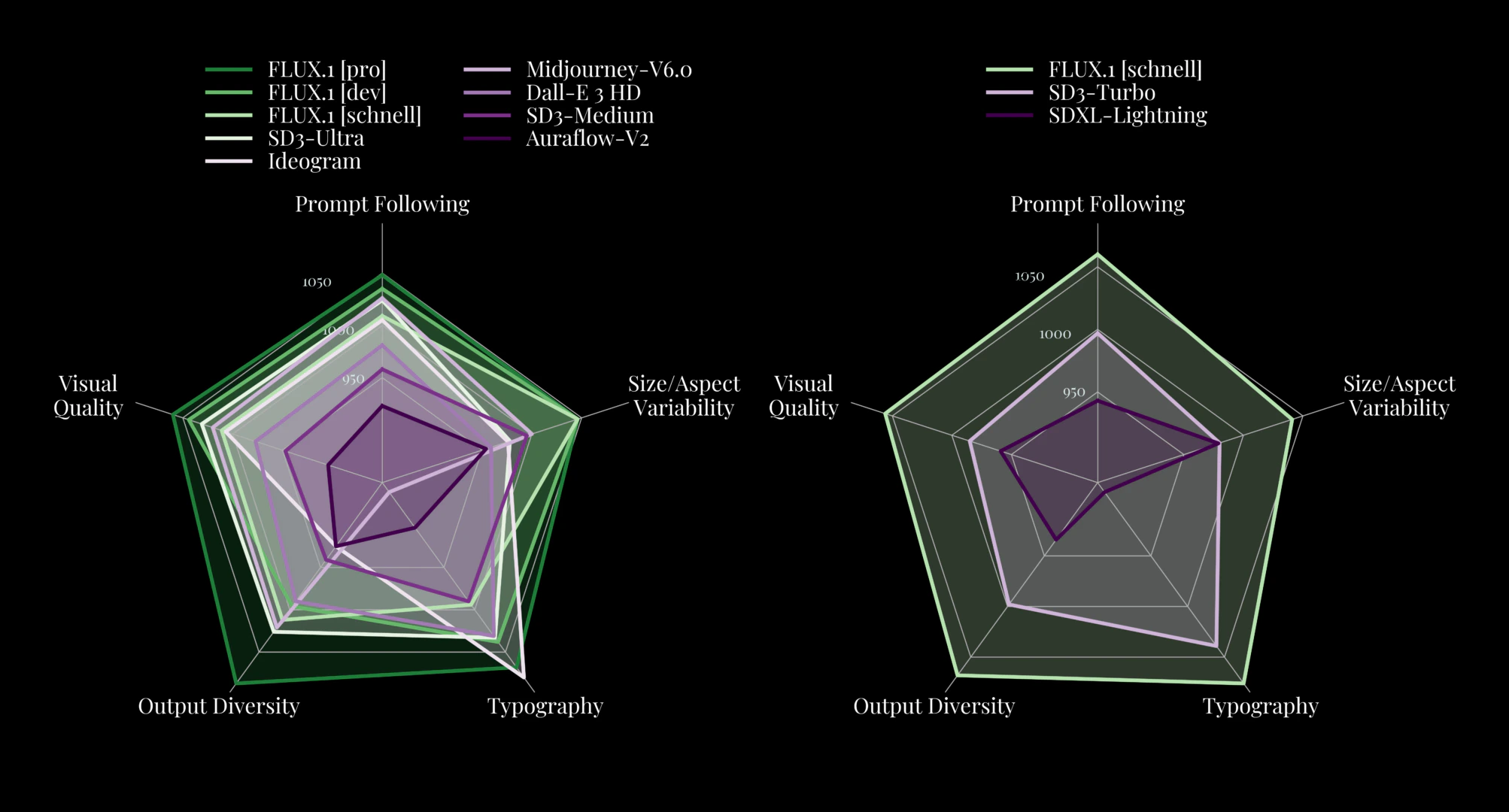
Flux model is based on the Diffusion Transformer architecture, which is different from the mainstream Stable Diffusion model architecture. In the subsequent part of this chapter, I will introduce the Flux model architecture in detail. Because Flux uses a new architecture, it outperforms popular models such as Midjourney v6.0, DALL-E 3 (HD), and SD3-Ultra in the following aspects:- Visual Quality
- Prompt Following
- Size/Aspect Variability
- Typography
- Output Diversity
1.3 Usage Methods
Flux model can be used in the following ways:- API:Through the API, such as Black Forest Labs official BFL API.
- Flux Application:In addition to local calls, Flux models can also be used in some applications. For example, Comflowy provides Flux applications for various versions. If your computer performance is not good, or you cannot install ComfyUI, you can consider using this method. You can go to the Flux Application page to learn and use Flux applications.
- Local Call:You can also use Flux models through ComfyUI on your local computer. If you are not interested in the implementation principles of Flux models, you can directly refer to the following section to learn how to use Flux models in ComflyUI:
Flux ComfyUI Workflow
Learn how to use Flux models in ComflyUI.
2. Flux Model Implementation Principles
If you don’t want to understand the implementation principles of Flux models, you can skip this chapter. Also, I recommend that you first understand the architecture of the Stable Diffusion model before you understand the architecture of the Flux model. You can refer to this tutorial: Stable Diffusion Model Foundation.
2.1 Review Stable Diffusion Model Architecture
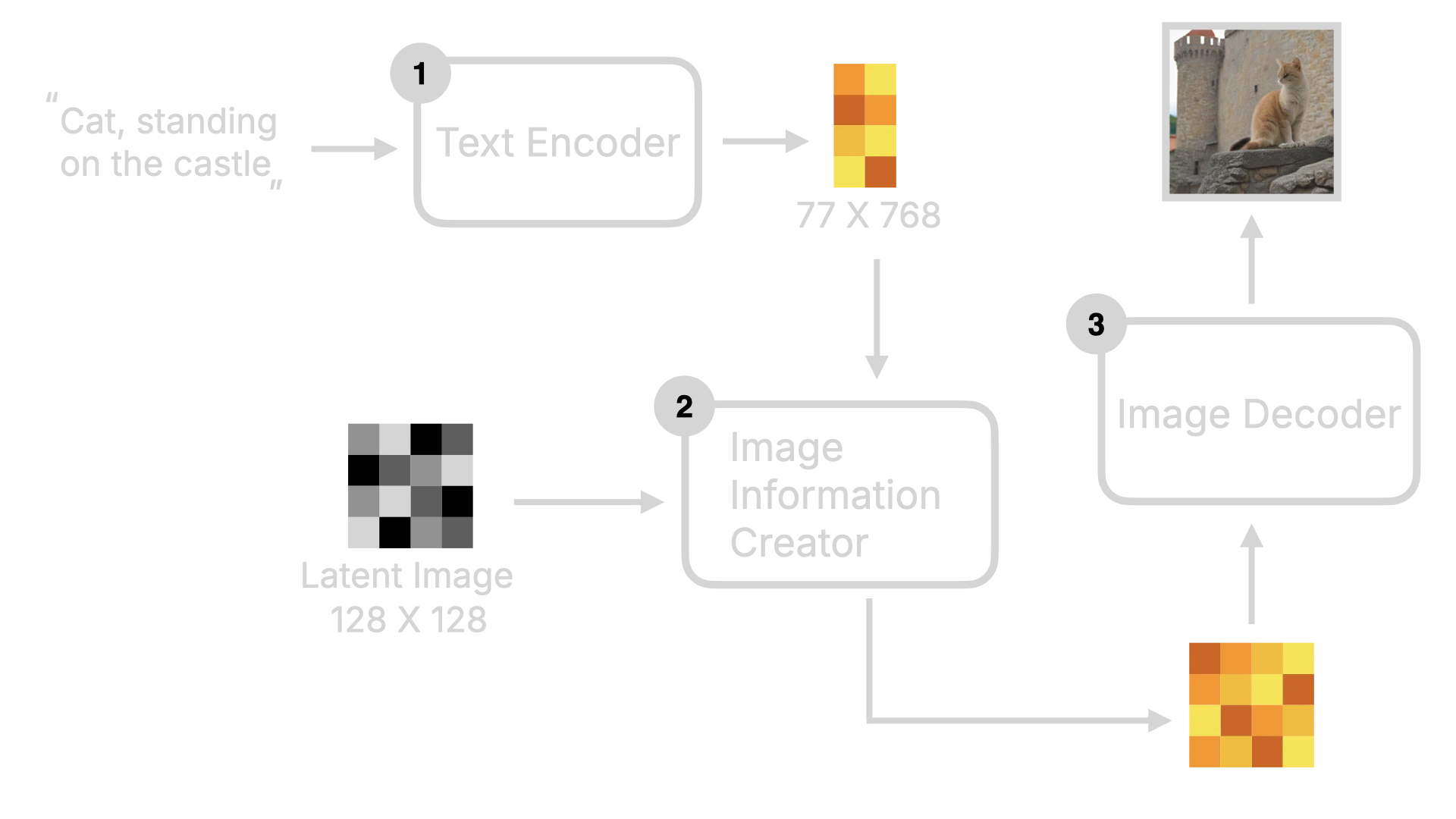
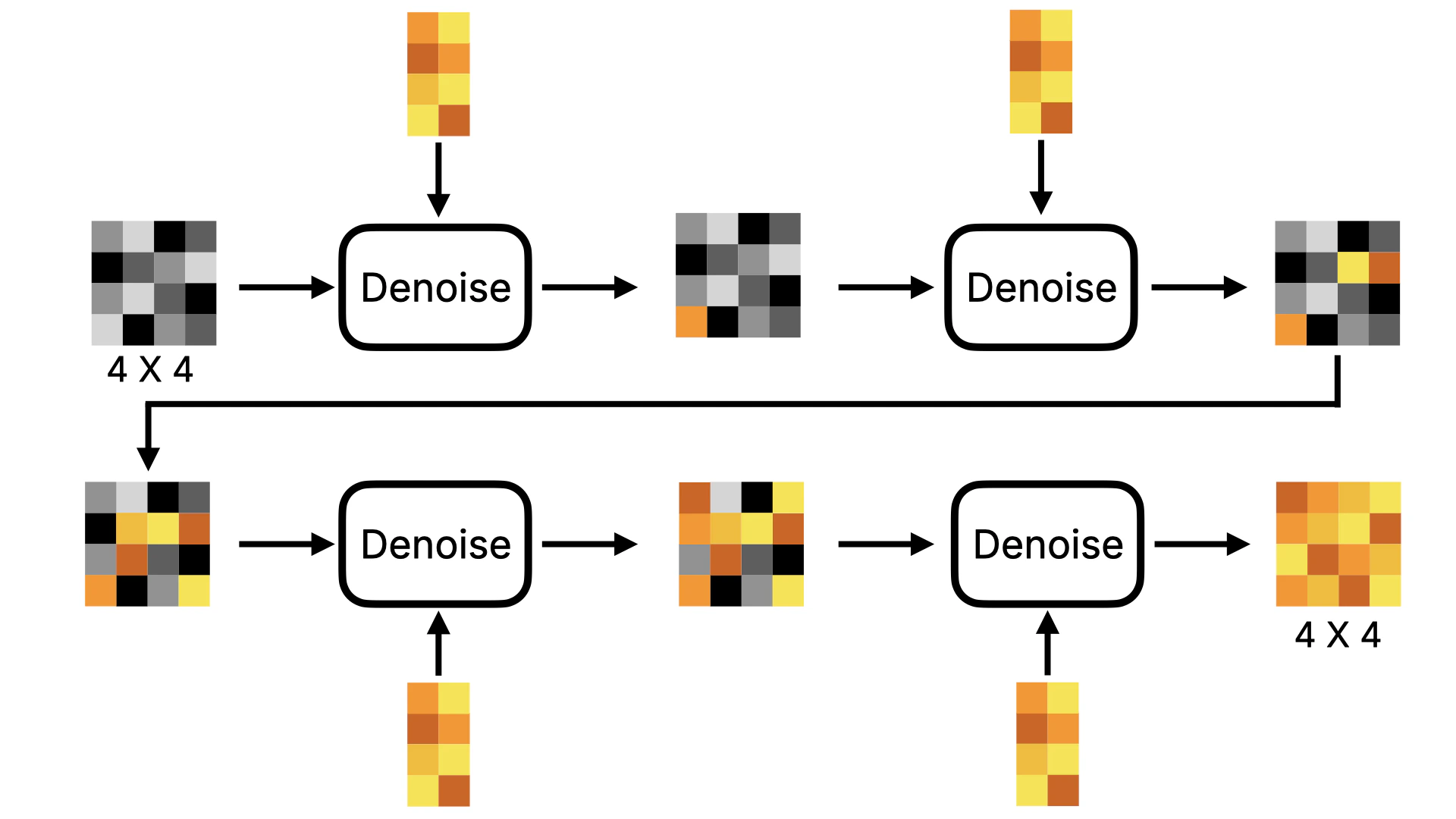
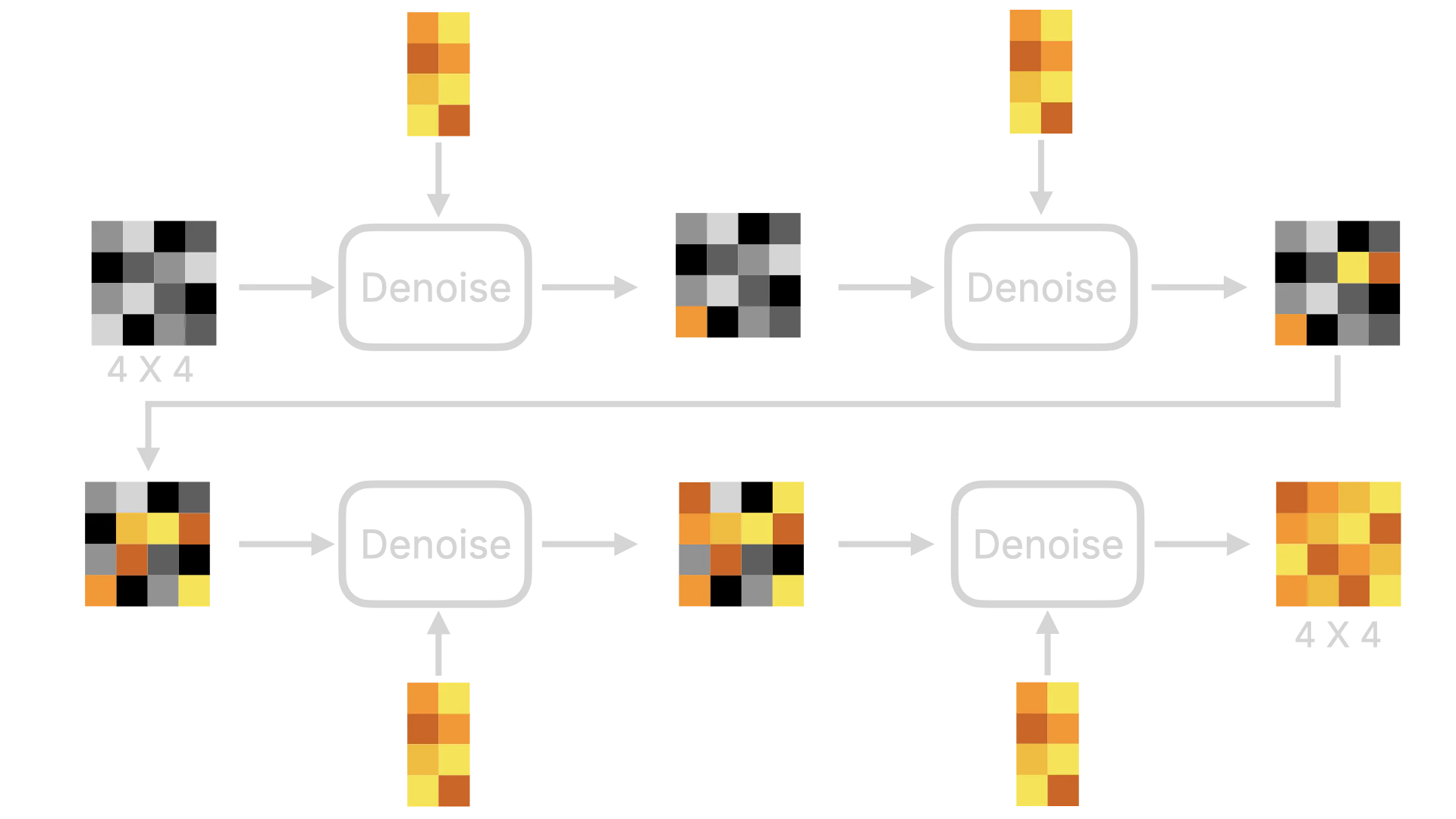
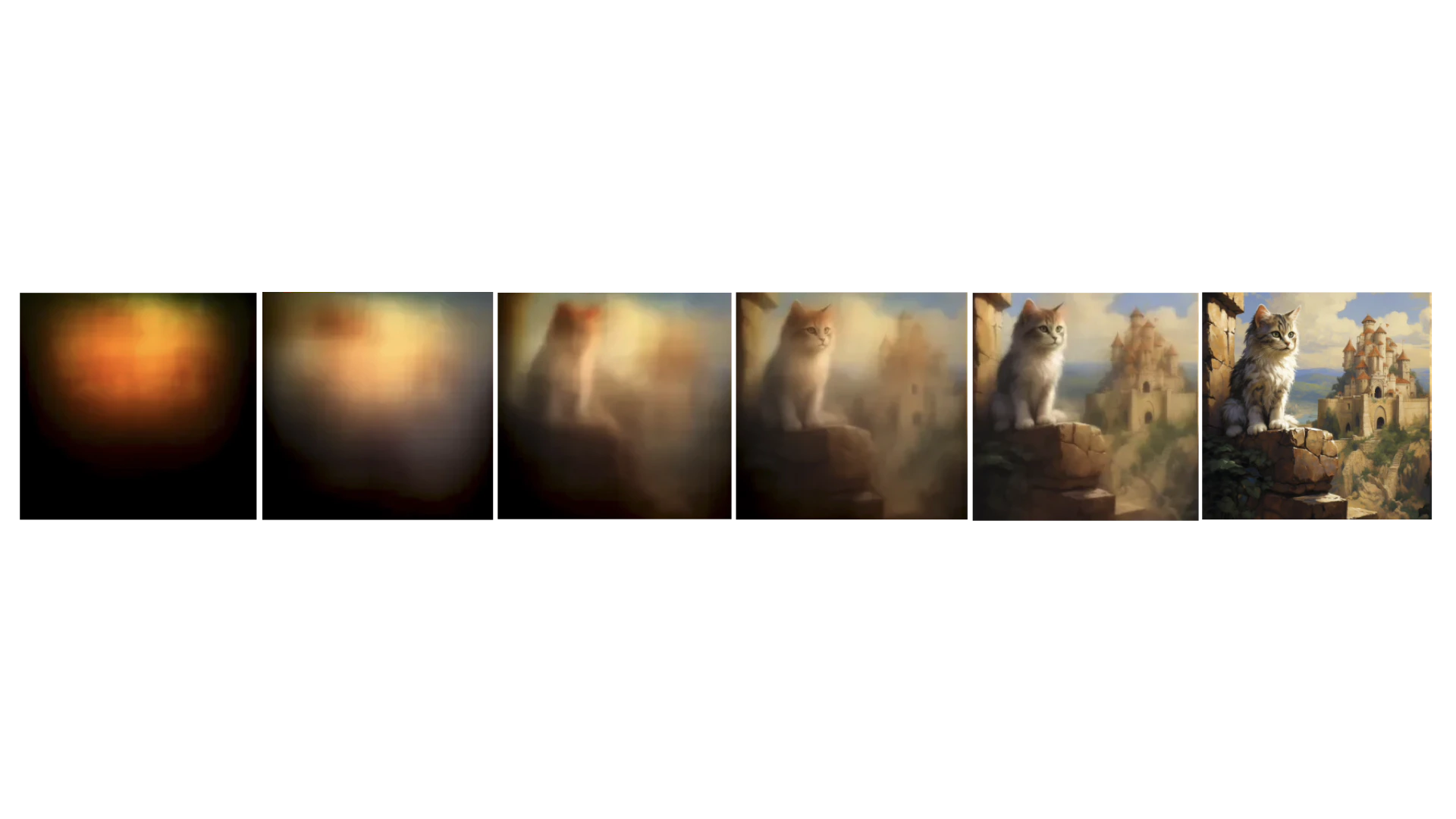
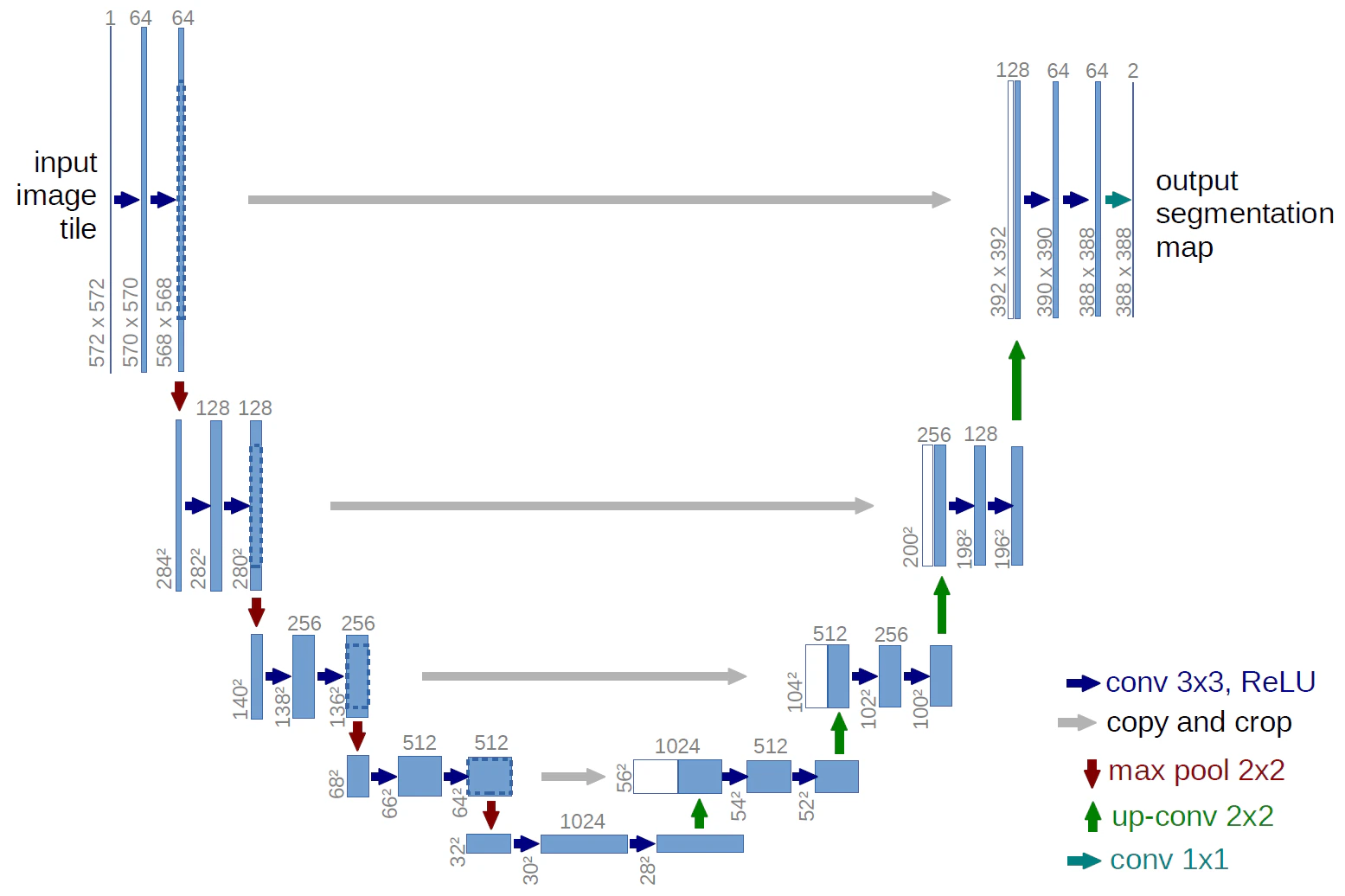
As mentioned earlier, the Flux model architecture is different from the Stable Diffusion model architecture, based on the Diffusion Transformer architecture. So, before introducing the Flux model architecture, I will briefly introduce the overall framework of the Stable Diffusion model first. First, the user inputs text instructions, which will be converted to word vectors by the Text Encoder, and then these word vectors will be sent to the Image Information Creator together with the Random Image data. After a series of denoising loops, the image data will be obtained, and finally, these data will be converted to human-readable images by the Decoder.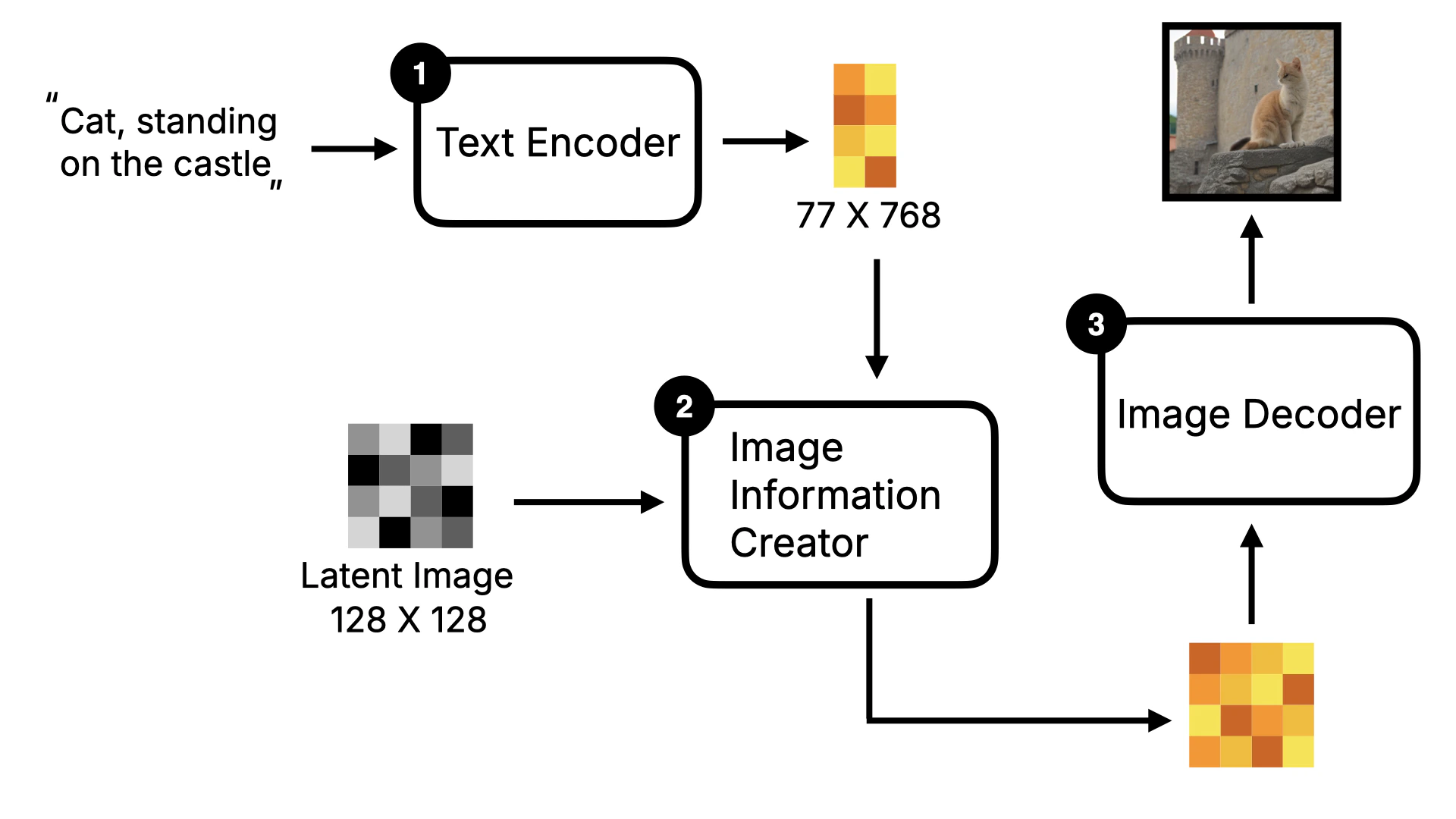
2.2 Flux Model Key Changes
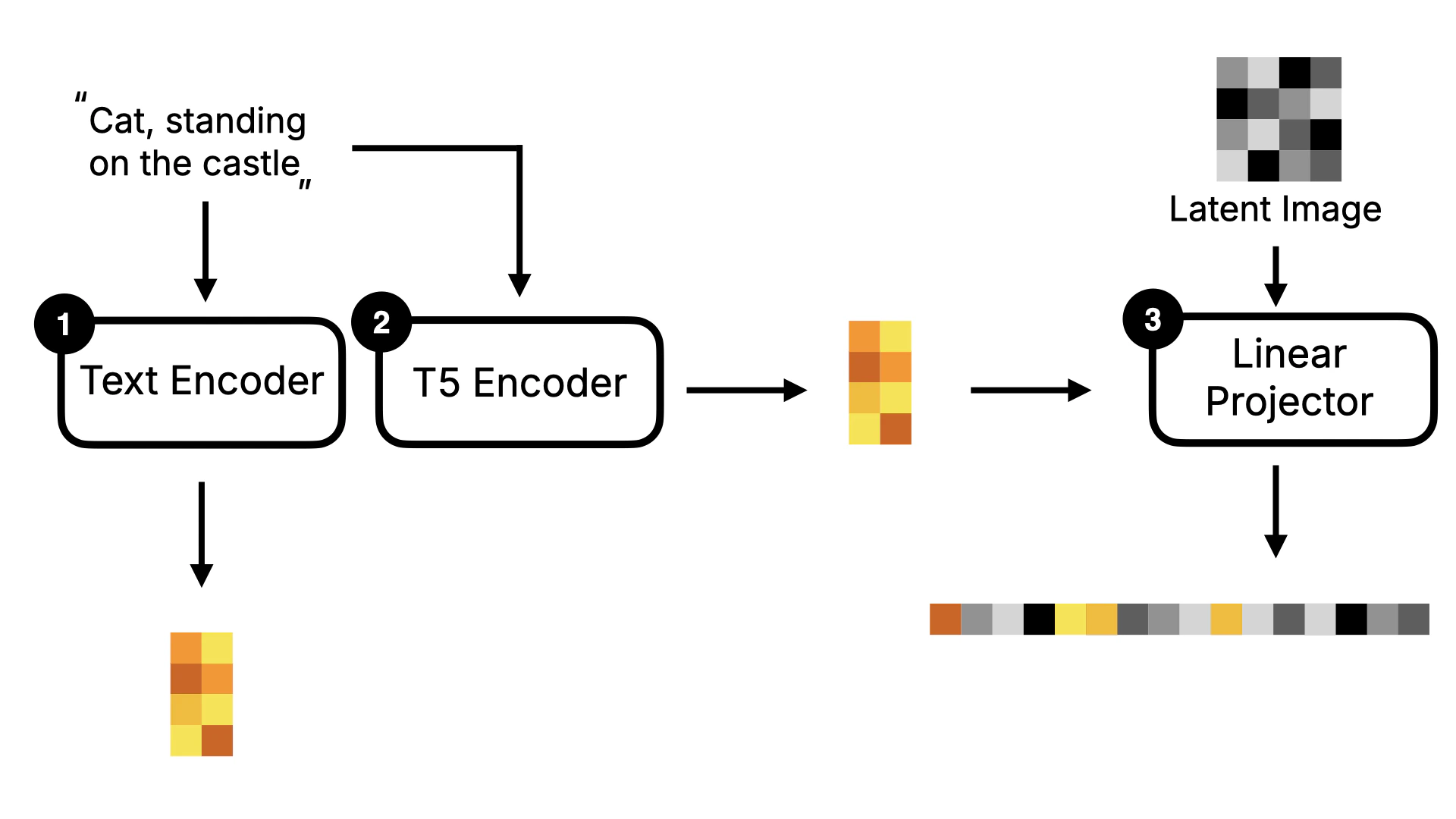
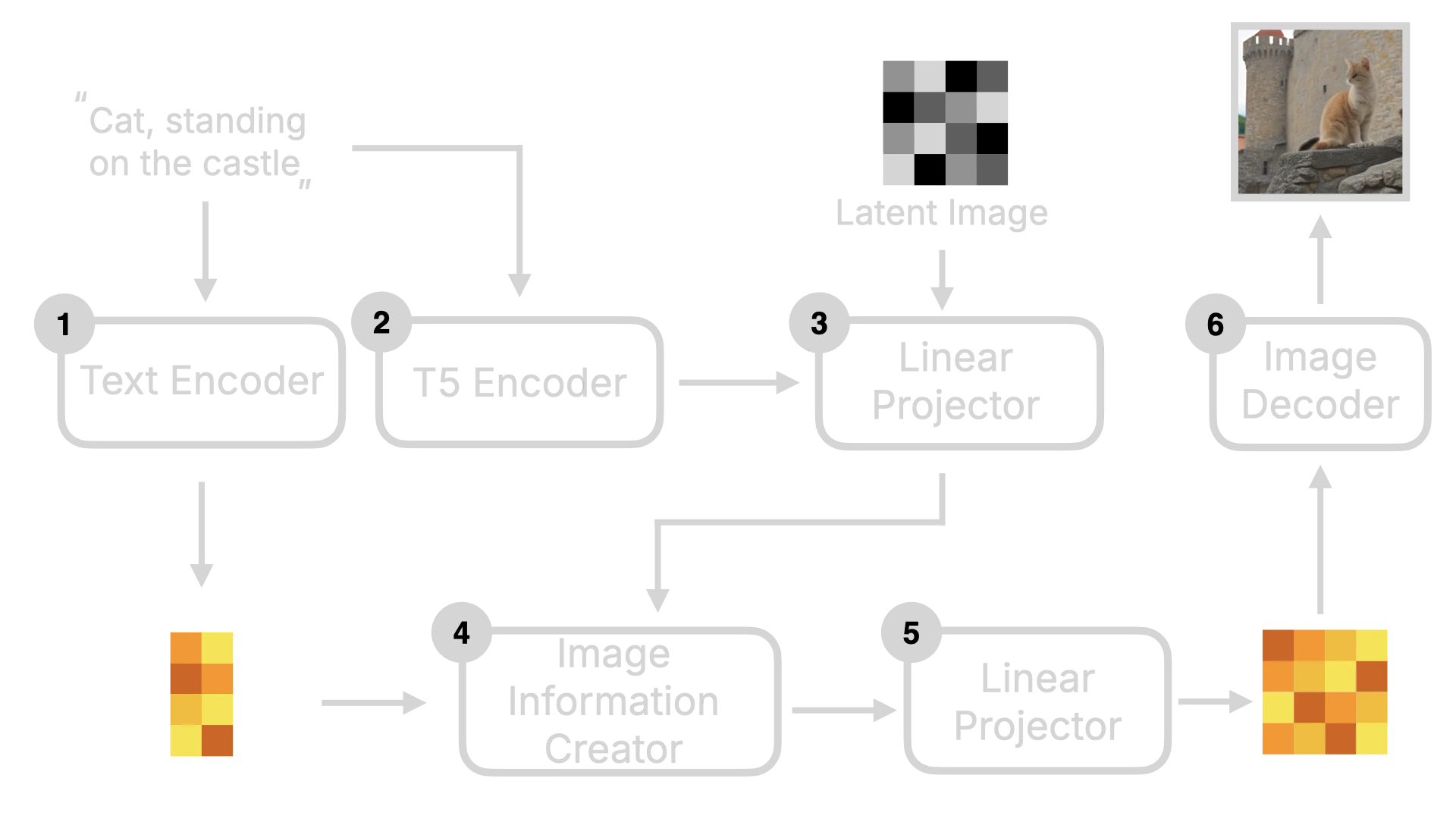
After understanding the Stable Diffusion model, let’s look at the implementation of Flux. The biggest difference between Flux and Stable Diffusion is that Flux is a DiT (Diffusion Transformer) model. The key difference of the DiT model is that it replaces the U-Net in the original Diffusion model with Transformer. I will use the following diagram to explain it. In terms of the overall framework, Flux is similar to Stable Diffusion, with Text Encoder, Image Information Creator, and Image Decoder. But you can see that it has some additional components, such as T5 Encoder and Linear Projector.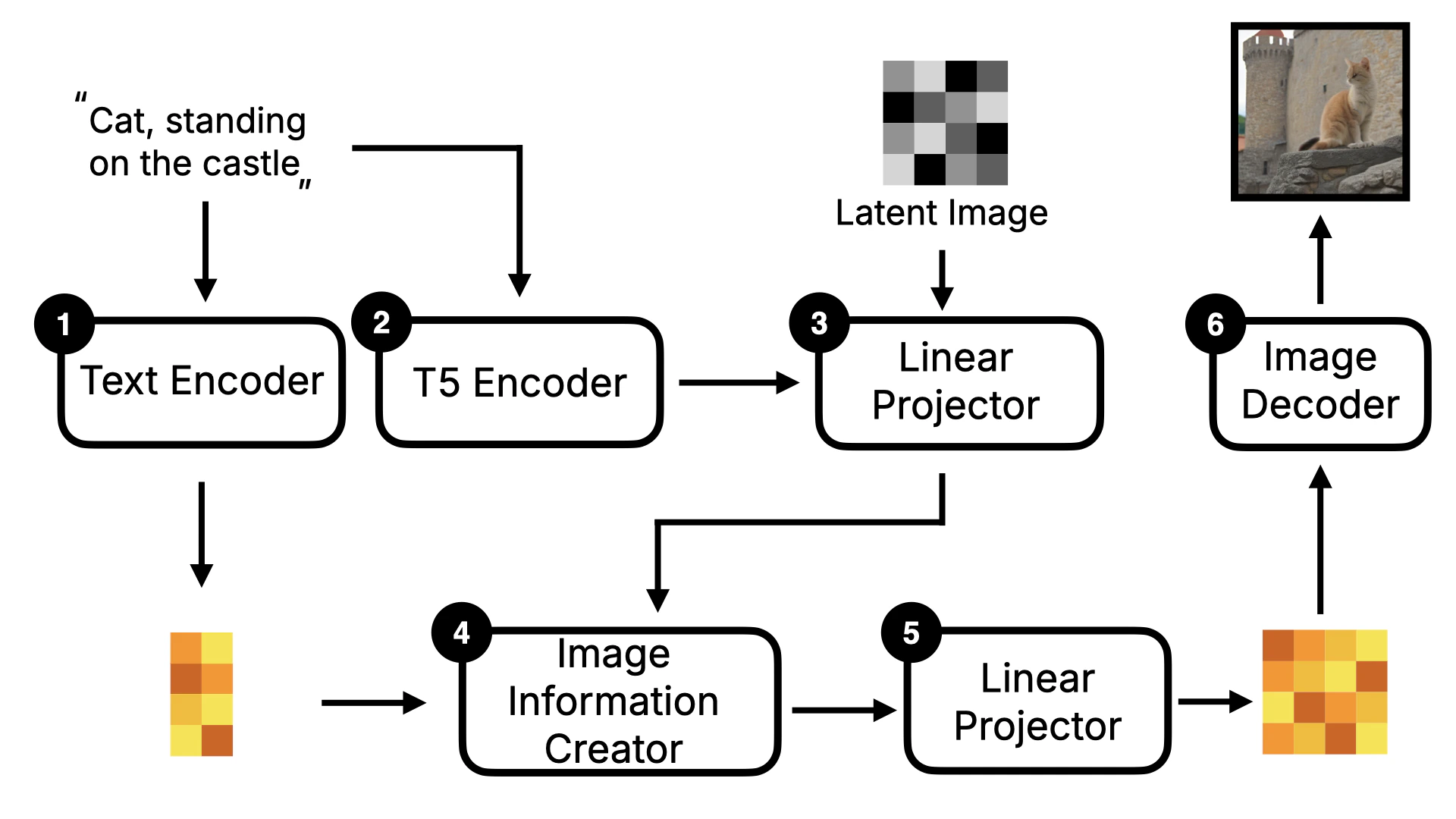
2.2.1 Diffusion Transformer
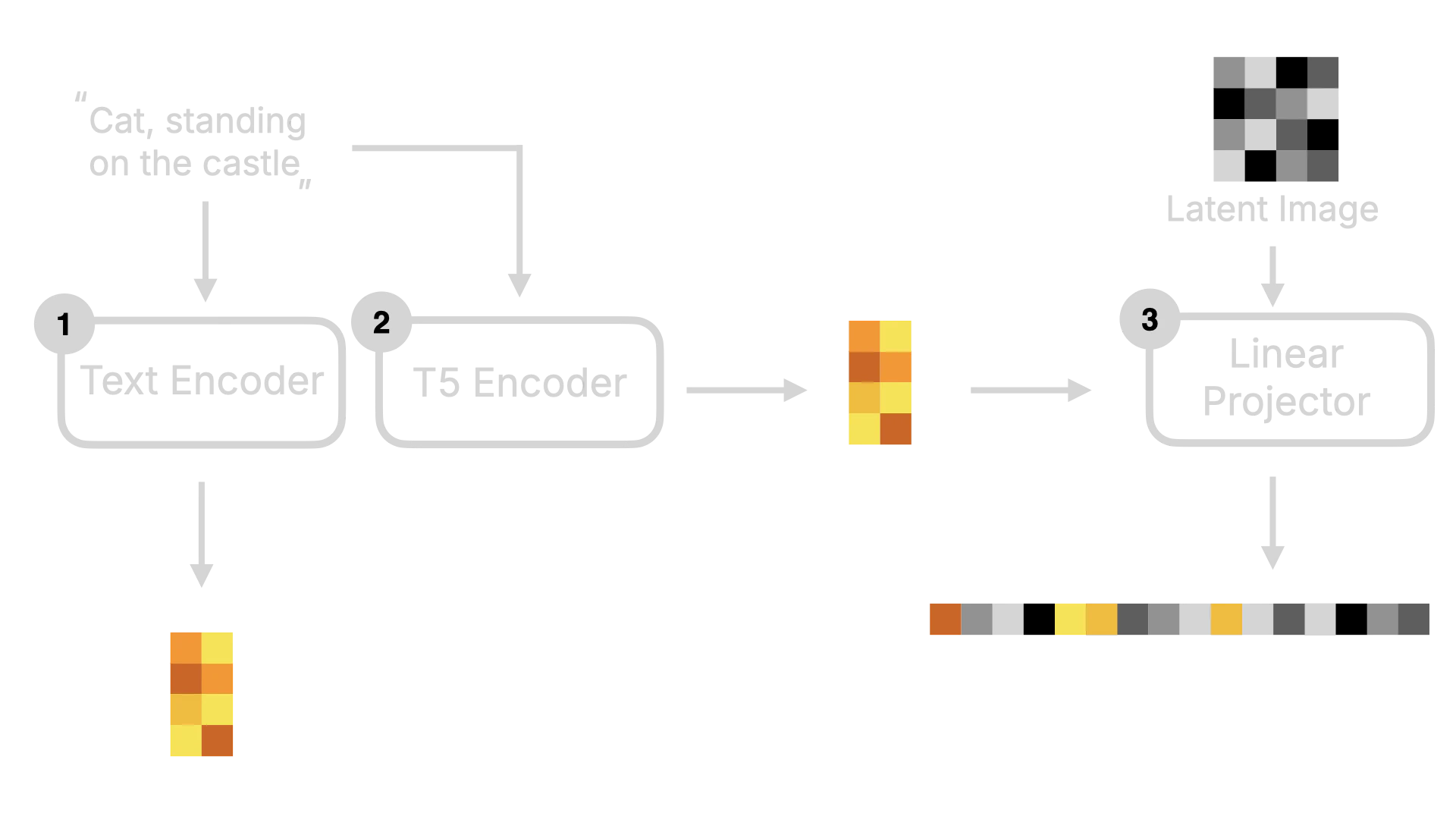
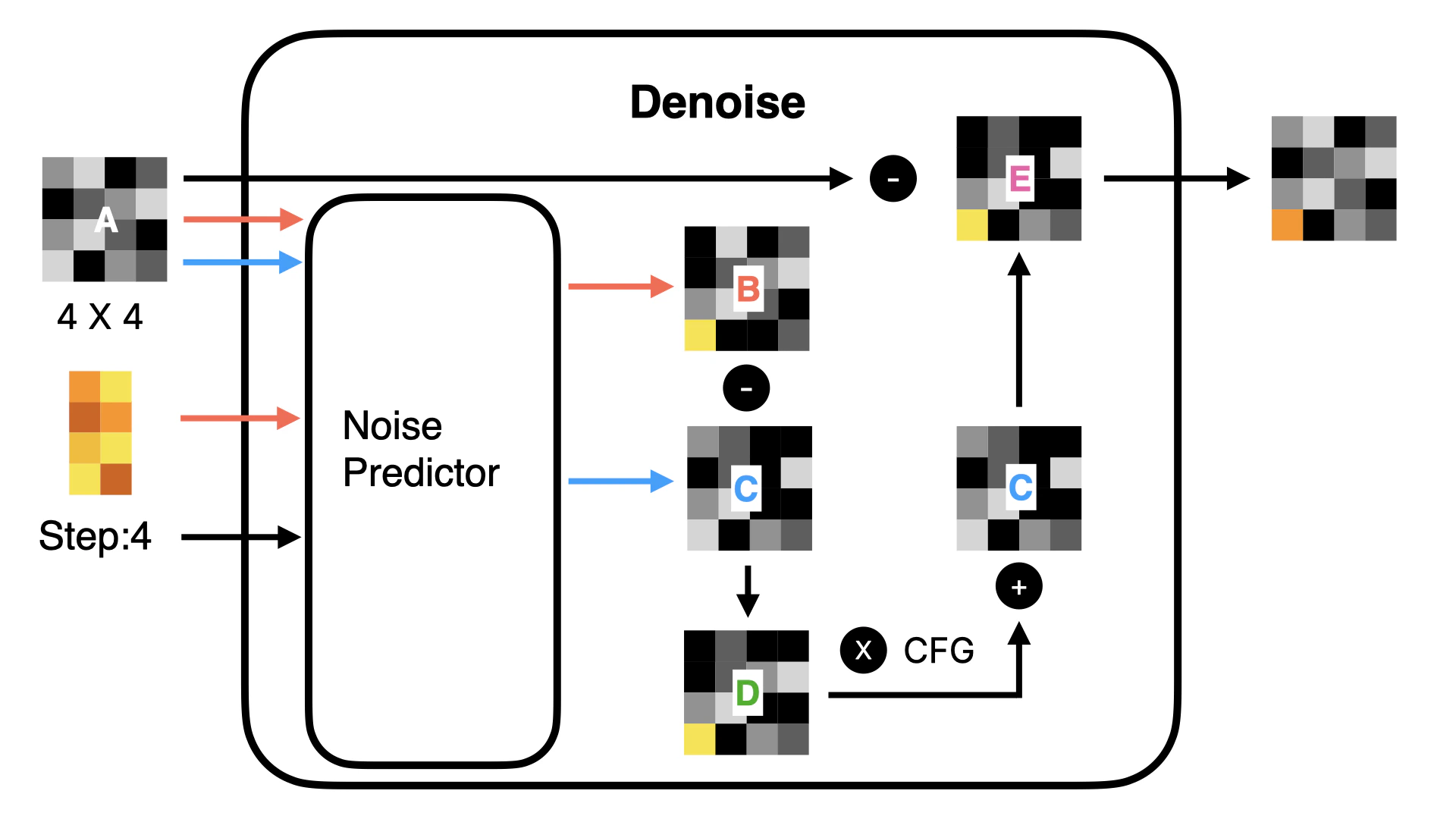
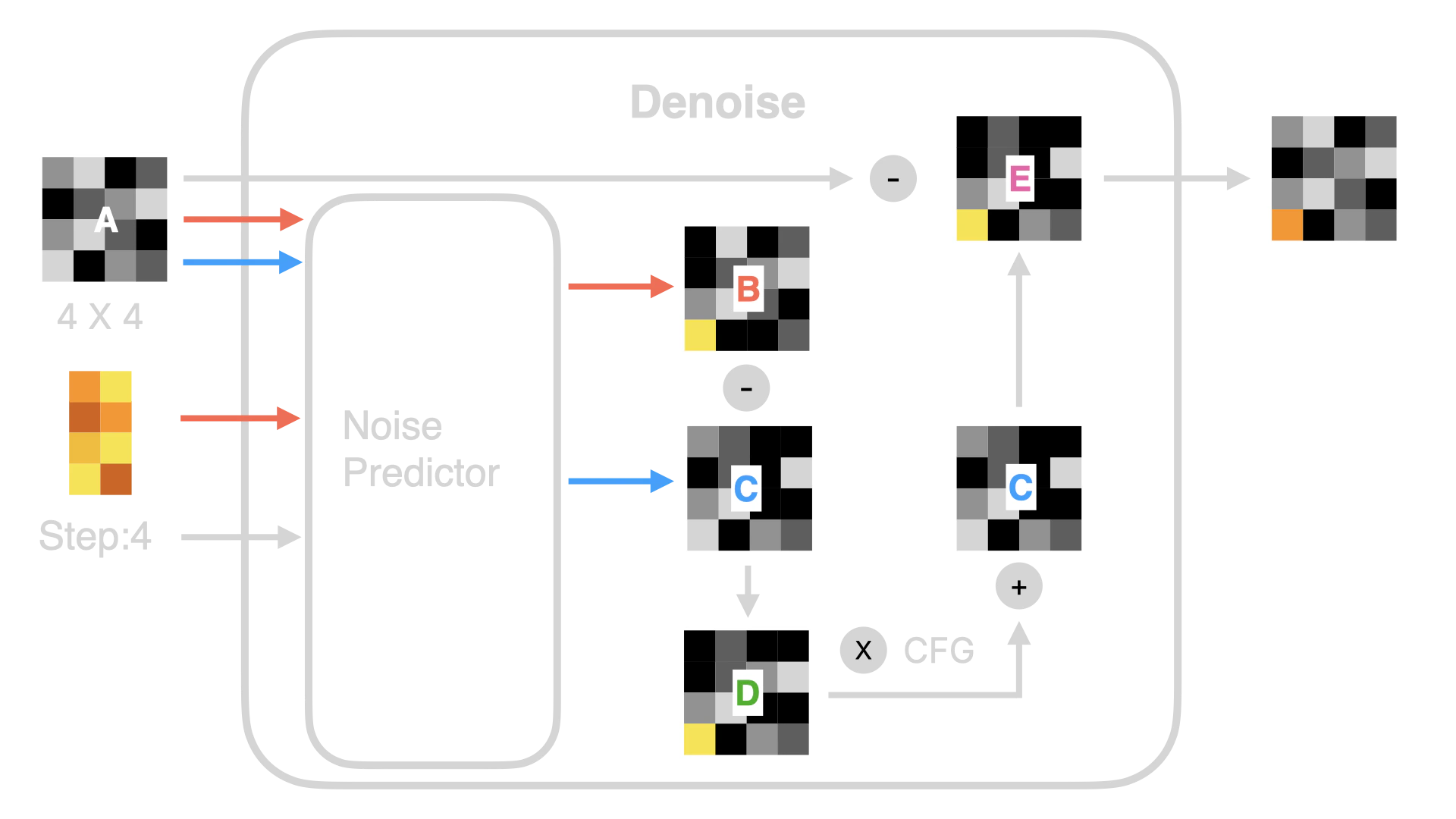
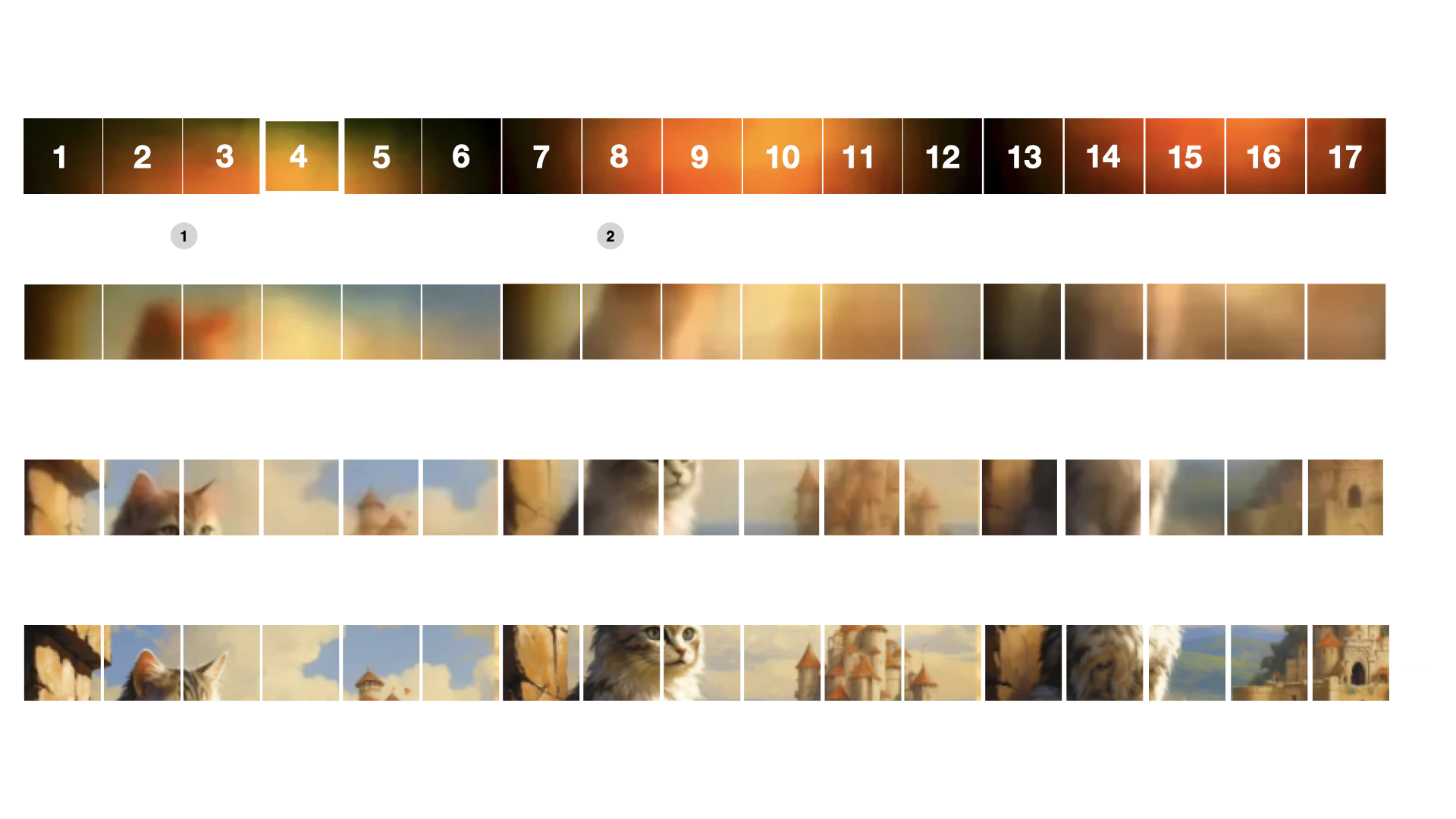
First, let’s understand the Linear Projector. This step is to convert two-dimensional Latent data into one-dimensional Token data. Why do we need to do this? Because in the subsequent denoising process (as shown in Figure ④), the DiT model does not predict the noise of the entire image as in the original U-Net. Instead, it denoises in blocks. If we visualize this process, it will look like the following:Note, I made the figure to show the denoising process, so it’s a visible image. In actuality, the model’s situation is a one-dimensional number, and the number needs to be converted to a visible image through Image Decoder.
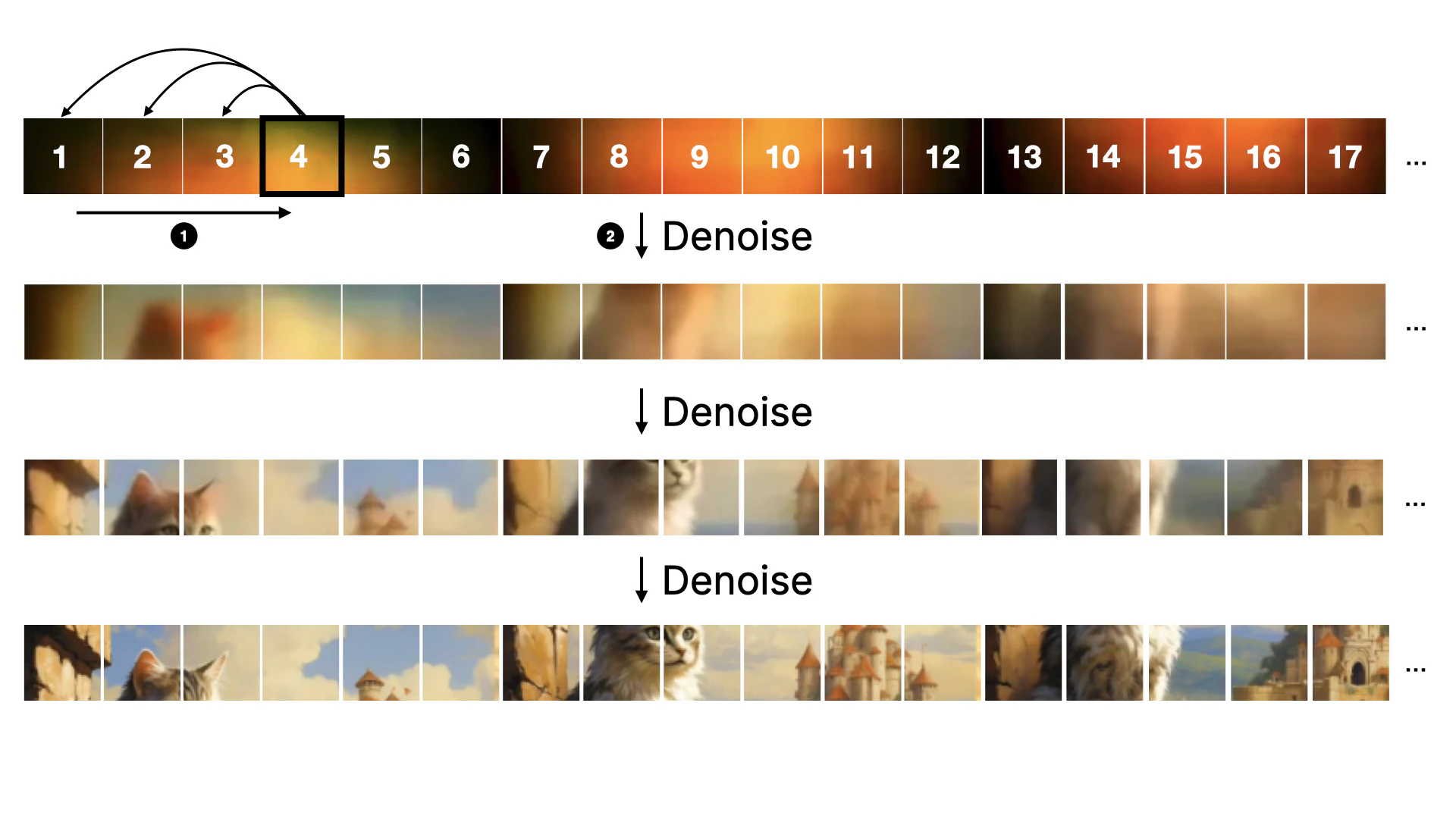
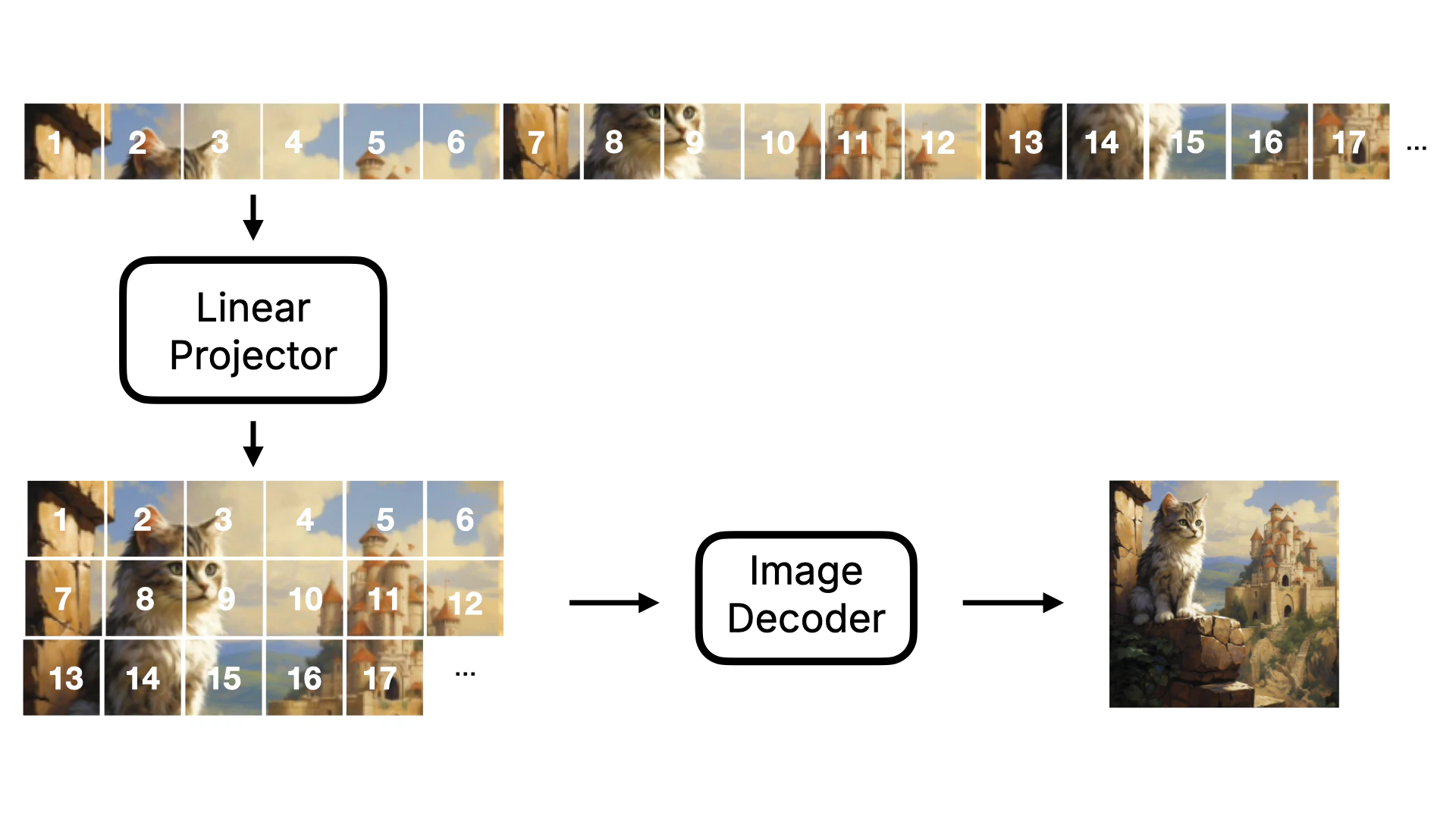
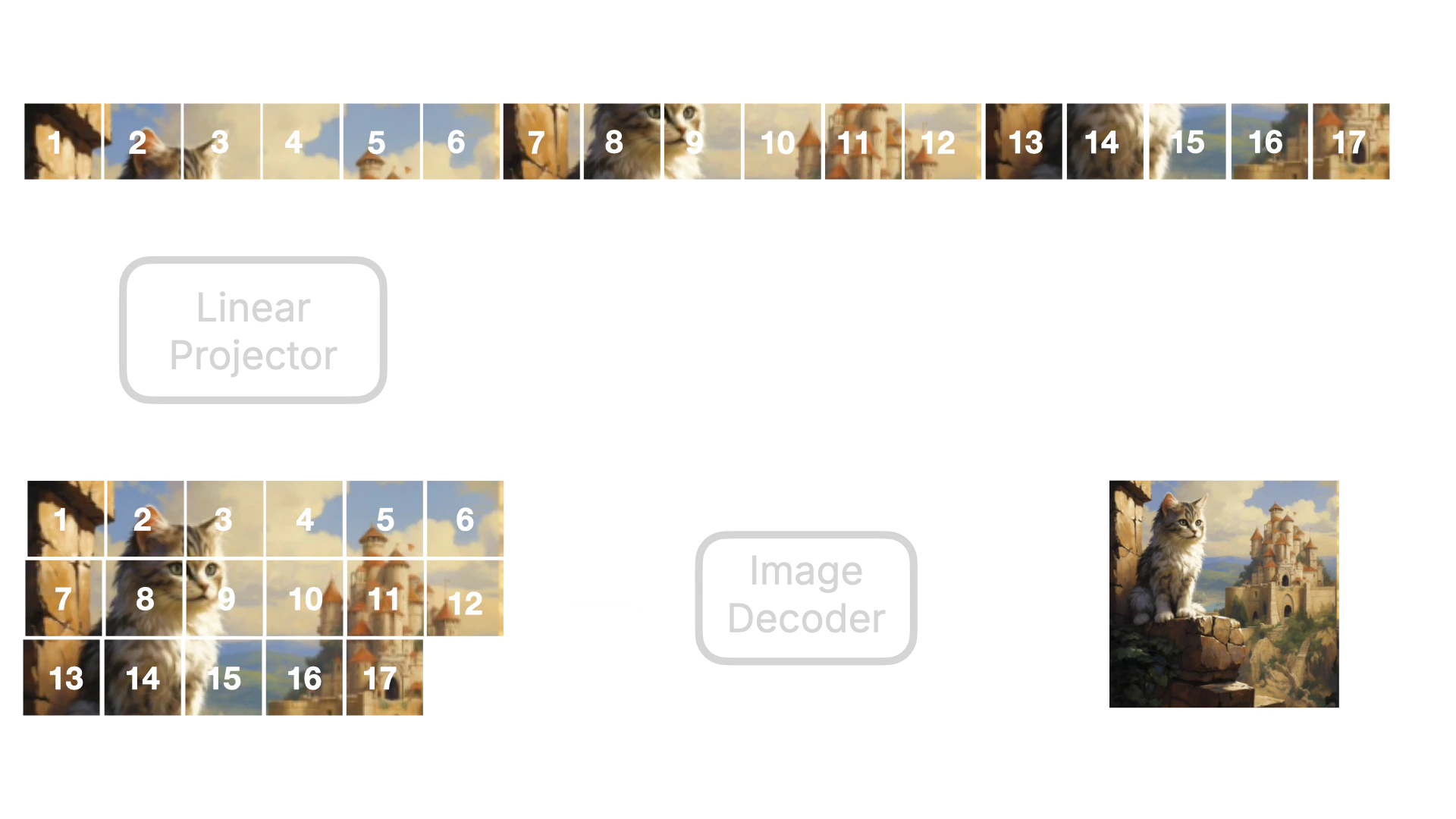
- The U-Net model compresses and amplifies data when predicting noise, and some data may be lost during this process. However, using this Transformer approach, the possibility of data loss is greatly reduced. Therefore, Flux model generates more detailed images than Stable Diffusion model.
- In addition, due to the forward attention mechanism of Transformer, when predicting noise, it can carry the data of the previous figure for prediction, so Flux model has better image continuity than Stable Diffusion model. It will not appear that there is an object that does not exist in a certain position.
2.2.2 T5 Encoder
Besides the Linear Projector, T5 Encoder is also a key change in the Flux model. T5 Encoder is a text encoder based on the T5 model architecture, which converts text instructions into word vectors that the model can understand. Then these word vectors will be sent to the Linear Projector together with the Latent Image data to be converted into one-dimensional Token data. At the same time, these data will also be Concat to be used as the input of the denoising loop. The visualized process is as follows: