Documentation Index
Fetch the complete documentation index at: https://flux101.com/llms.txt
Use this file to discover all available pages before exploring further.

red hair, and then regenerate the image. However, using this method, the hair of the person’s head becomes red, and other parts of the image may also change.
Or you may want to change the hair of a person in a person image to red, but you don’t want other parts of the image to change. Like this:

1. Download Flux Fill Model
We need to use the Flux fill model. You need to go to here to download the Flux fill dev model, and put it in the/models/diffusion_models/ directory.
2. Flux Inpainting Workflow
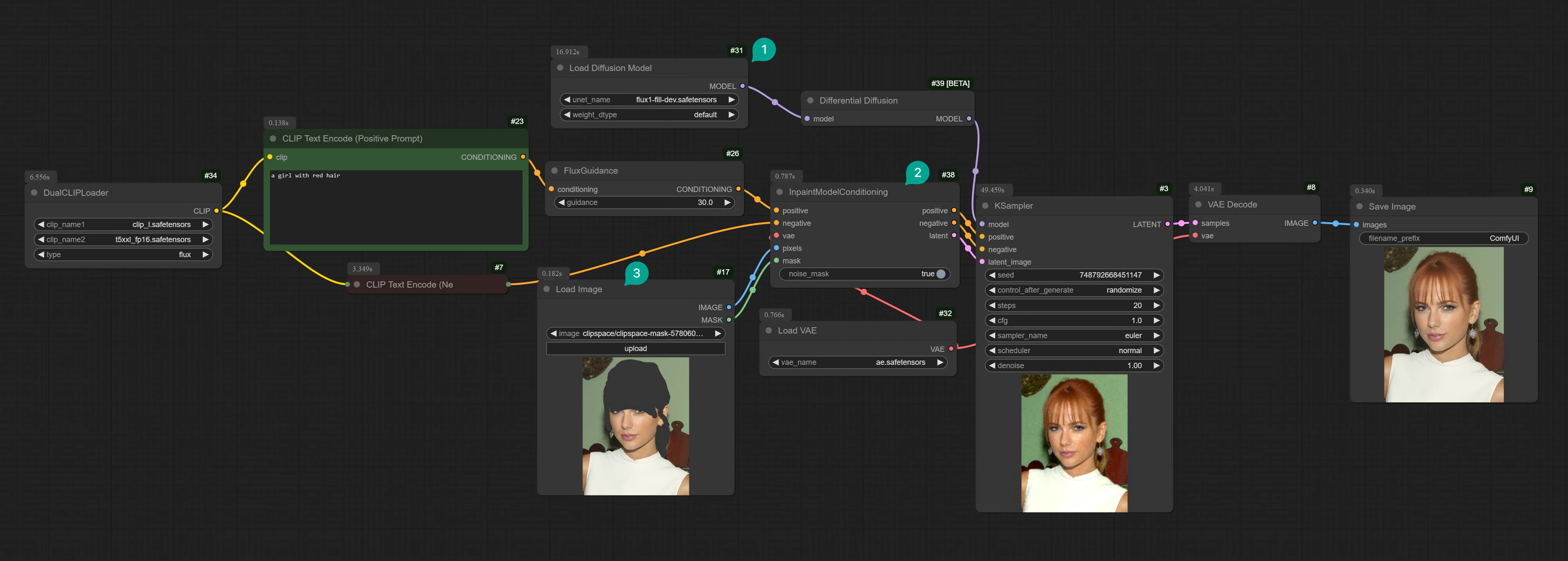
First, let’s talk about how to modify only a specific area without affecting other parts. After downloading the model, you can connect the nodes according to the following screenshot. If you don’t want to manually connect, you can download this workflow template and import it into your local ComfyUI. (Additionally, if you don’t know how to download a Comflowy template, you can refer to this tutorial)Flux ComfyUI Template
Click the Remix button in the top right corner to enter ComfyUI workflow mode.
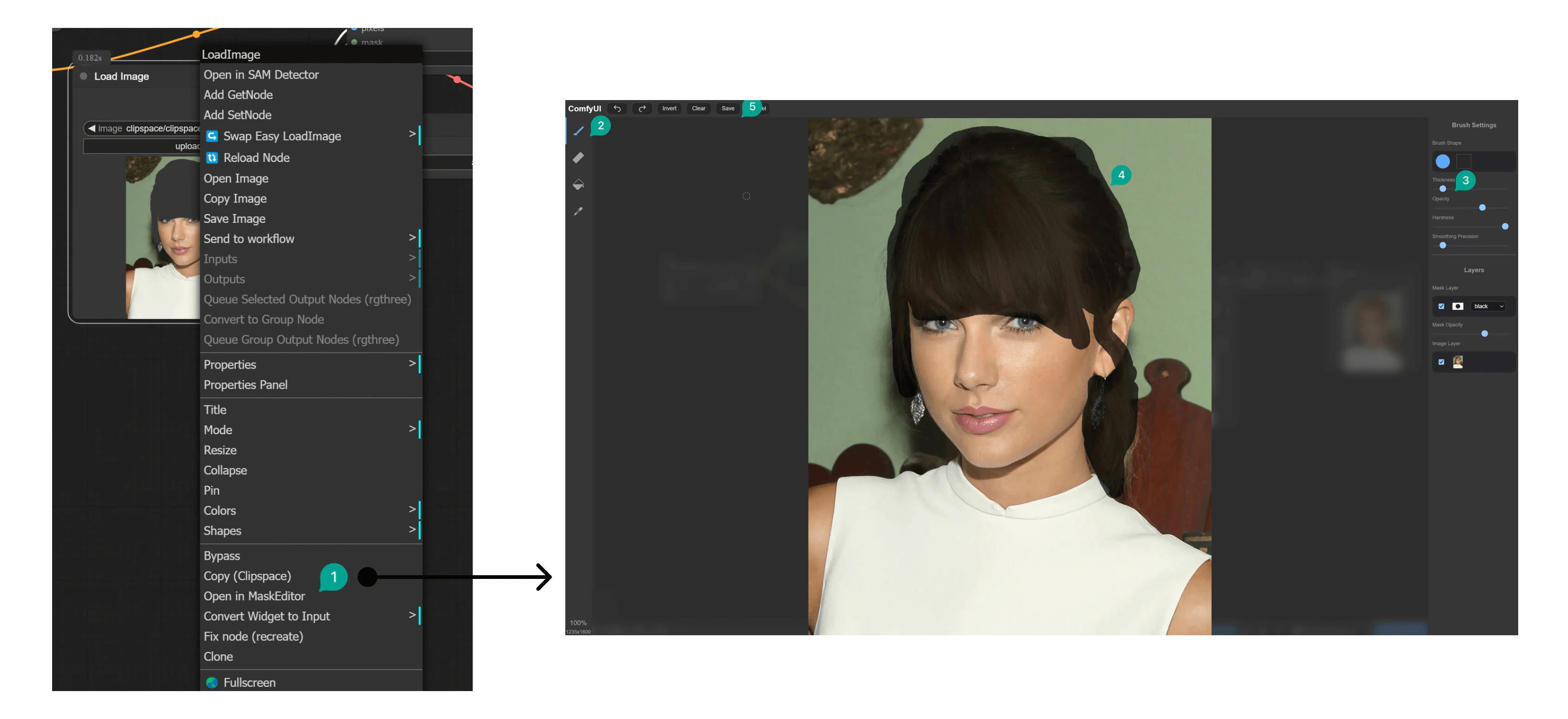
Open in MaskEditor (①), and use it in the MaskEditor.
At this point, you can click the Brush button (②) on the left, then use the brush to paint on the image, the area you paint is the area you want to modify (④), if you think the painted area is too small, you can also modify it on the right (③). At the same time, there is an eraser tool on the left, which can erase the area you painted. After completing the painting, click the top Save button (⑤) to save your modifications.
a girl with red hair. Then click the Generate button to generate the image.
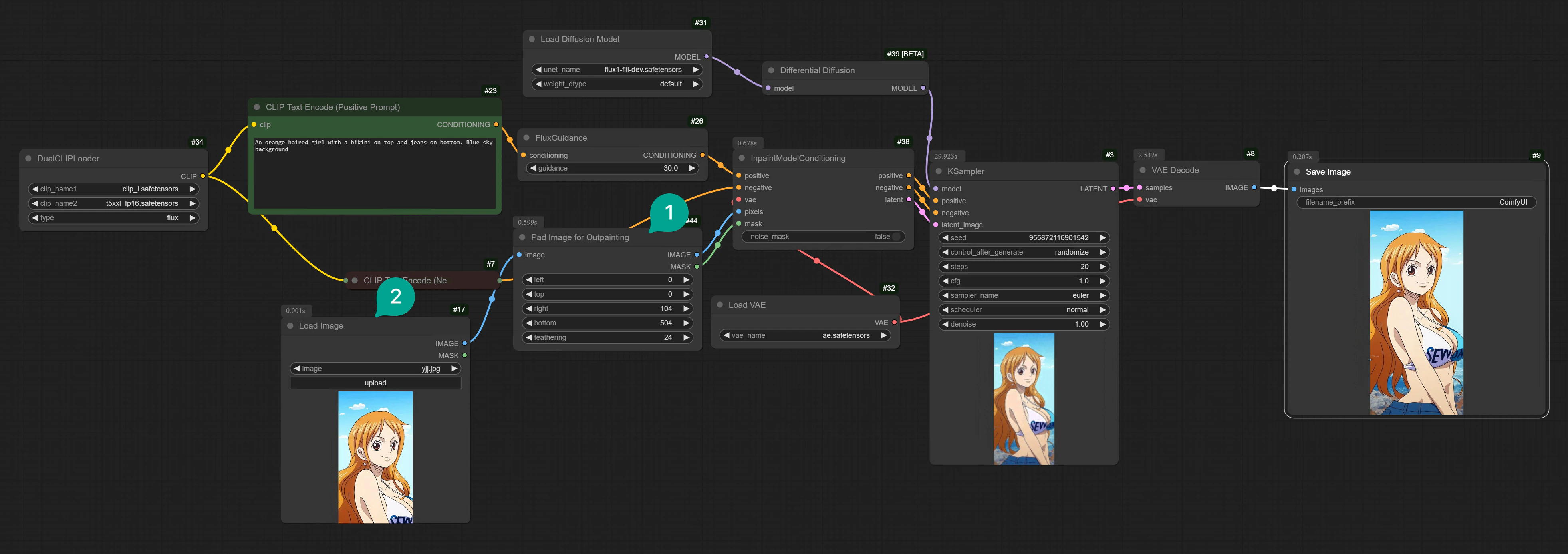
3. Flux Outpainting Workflow
Flux Fill model can not only modify a part of the image, but also expand a part of the image. Like this: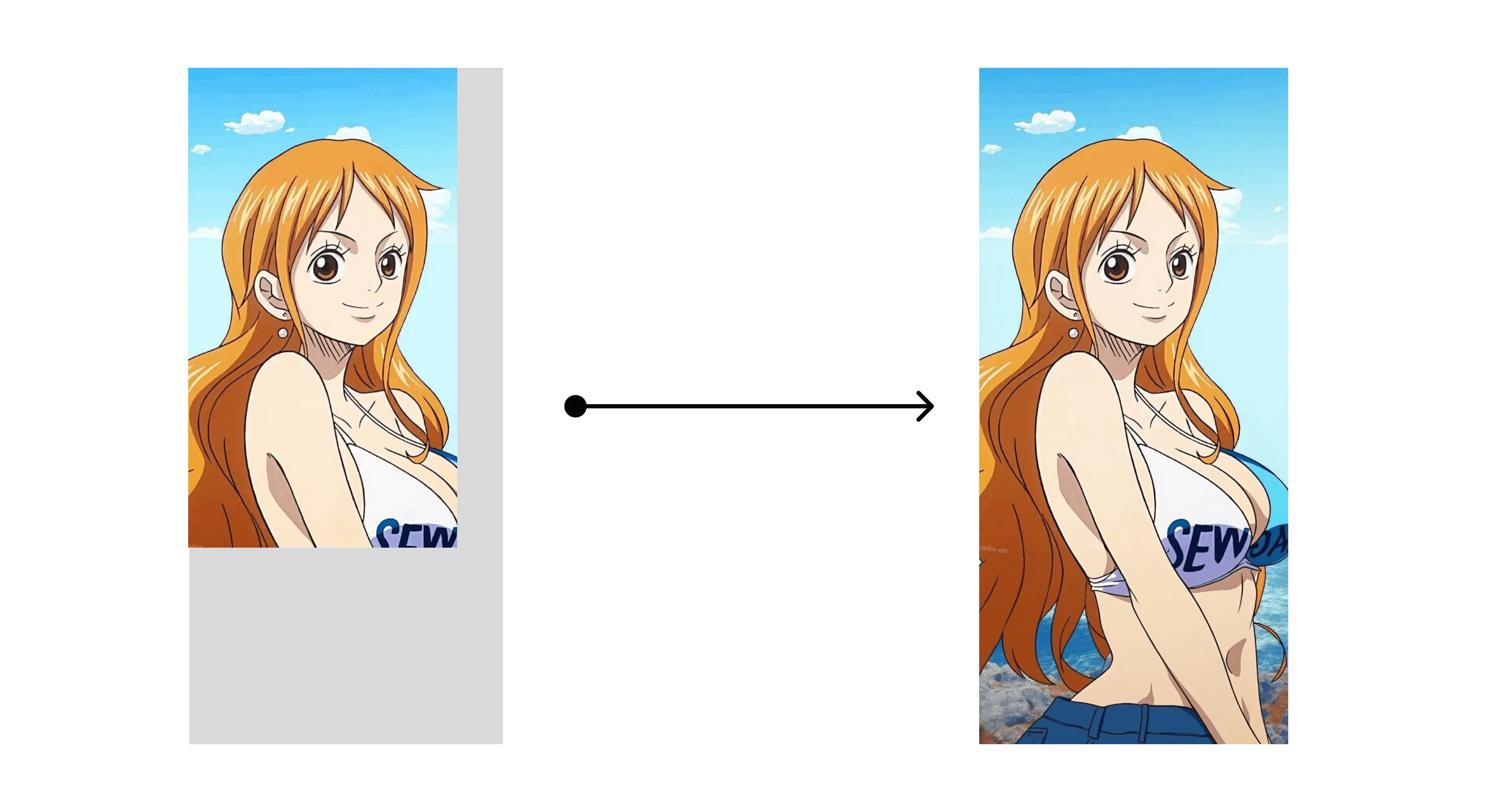
Flux ComfyUI Template
Click the Remix button in the top right corner to enter ComfyUI workflow mode.
An orange-haired girl with a bikini on top and jeans on bottom. Blue sky background. Then click the Generate button to generate the image.
4. Flux Fill API Workflow
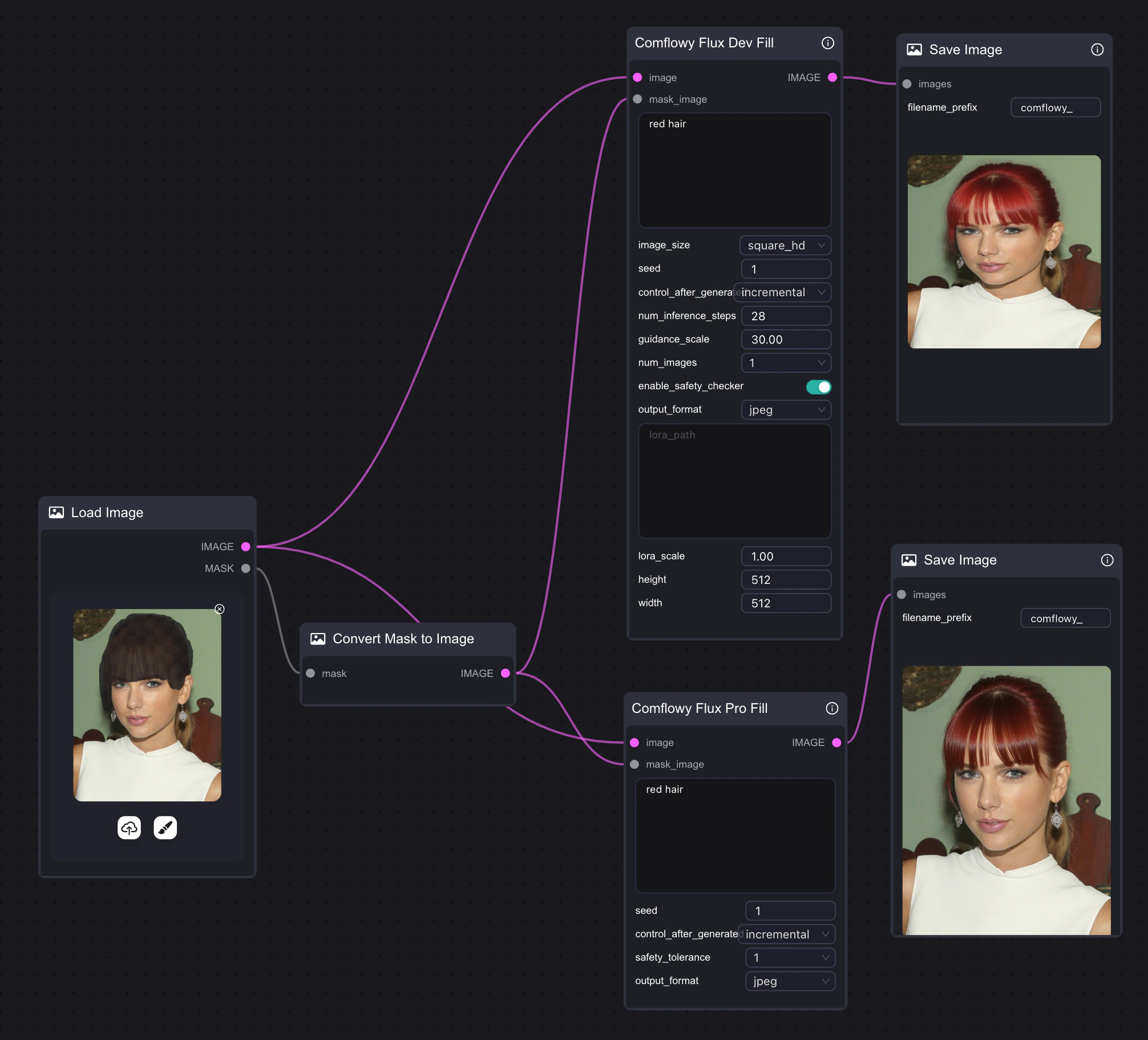
If your computer performance is not sufficient to run the Flux Fill model, you can also try using Comflowy’s Fill API node in ComfyUI. Of course, you can also directly use the Flux Fill API node in Comflowy, with a simple connection method that requires just one node, and it also supports Flux Pro and Dev versions.Note that since this node uses an API, you will need to pay the corresponding fees when using it.